Lightbox & Image Gallery Rails Components
Display images and galleries in a beautiful full-screen lightbox experience. Perfect for portfolios, product galleries, and photo collections.
Installation
1. Stimulus Controller Setup
Start by adding the following controller to your project:
import { Controller } from "@hotwired/stimulus";
import PhotoSwipe from "photoswipe";
export default class extends Controller {
static targets = ["trigger", "gallery"];
static values = {
options: Object,
gallerySelector: String,
showDownloadButton: { type: Boolean, default: true },
showZoomIndicator: { type: Boolean, default: true },
showDotsIndicator: { type: Boolean, default: true },
};
connect() {
this.photoSwipeHostDialog = null;
this.loadCSS();
this.setupGallery();
}
loadCSS() {
// Check if PhotoSwipe CSS is already loaded
if (!document.querySelector('link[href*="photoswipe.css"]')) {
const link = document.createElement("link");
link.rel = "stylesheet";
link.href = "https://cdn.jsdelivr.net/npm/photoswipe@5.4.3/dist/photoswipe.css";
document.head.appendChild(link);
}
}
setupGallery() {
if (this.hasGalleryTarget) {
this.galleryTarget.addEventListener("click", this.handleGalleryClick.bind(this));
} else if (this.hasTriggerTarget) {
this.triggerTargets.forEach((trigger) => {
trigger.addEventListener("click", this.handleSingleClick.bind(this));
});
}
}
handleGalleryClick(e) {
const clickedElement = e.target.closest("a[data-pswp-src]");
if (!clickedElement) return;
e.preventDefault();
const galleryElements = this.galleryTarget.querySelectorAll("a[data-pswp-src]");
const items = Array.from(galleryElements).map((el) => this.getItemData(el));
const clickedIndex = Array.from(galleryElements).indexOf(clickedElement);
this.openPhotoSwipe(items, clickedIndex);
}
handleSingleClick(e) {
e.preventDefault();
const clickedElement = e.currentTarget;
const items = [this.getItemData(clickedElement)];
this.openPhotoSwipe(items, 0);
}
getItemData(element) {
const item = {
src: element.dataset.pswpSrc || element.href,
width: parseInt(element.dataset.pswpWidth) || 0,
height: parseInt(element.dataset.pswpHeight) || 0,
alt: element.dataset.pswpAlt || "",
};
// Add caption if exists
const caption = element.dataset.pswpCaption;
if (caption) {
item.caption = caption;
}
// If dimensions not provided, we'll need to load them
if (!item.width || !item.height) {
// Try to get dimensions from the thumbnail if it's already loaded
const thumbnail = element.querySelector("img");
if (thumbnail && thumbnail.complete && thumbnail.naturalWidth) {
// Calculate aspect ratio from thumbnail
const aspectRatio = thumbnail.naturalWidth / thumbnail.naturalHeight;
// Determine a reasonable full-size dimension based on aspect ratio
// This provides better defaults for different image types
if (aspectRatio > 1.2) {
// Landscape image
item.width = 2400;
item.height = Math.round(2400 / aspectRatio);
} else if (aspectRatio < 0.8) {
// Portrait image
item.height = 2400;
item.width = Math.round(2400 * aspectRatio);
} else {
// Square or nearly square
item.width = 2000;
item.height = 2000;
}
} else {
// Conservative fallback when we have no information
// Use a moderate size that works for most cases
item.width = 1920;
item.height = 1080; // 16:9 as a safe default
}
item.needsUpdate = true;
}
return item;
}
openPhotoSwipe(items, index) {
const { appendTarget, hostDialog } = this.getAppendTarget();
const options = {
index: index || 0,
appendToEl: appendTarget,
...this.defaultOptions,
...this.optionsValue,
};
const pswp = new PhotoSwipe({
dataSource: items,
...options,
});
let hostCancelHandler;
const cleanupHostDialog = (() => {
let cleanedUp = false;
return () => {
if (cleanedUp || !hostDialog) return;
cleanedUp = true;
if (hostCancelHandler) {
hostDialog.removeEventListener("cancel", hostCancelHandler);
}
this.teardownPhotoSwipeHost(hostDialog);
};
})();
if (hostDialog) {
hostCancelHandler = (event) => {
// Keep dialog state in sync when Escape is pressed on the host.
event.preventDefault();
pswp.close();
};
hostDialog.addEventListener("cancel", hostCancelHandler);
pswp.on("destroy", cleanupHostDialog);
}
// Add dynamic cursor handling
const updateCursor = () => {
if (!pswp.currSlide || !pswp.currSlide.container) return;
const currZoom = pswp.currSlide.currZoomLevel;
const container = pswp.currSlide.container;
const imageEl = container.querySelector(".pswp__img");
// Set default cursor on container (the whole area)
container.style.cursor = "default";
// Only set zoom cursor on the actual image
if (imageEl) {
if (pswp.currSlide.isZoomable()) {
if (currZoom < 0.95) {
// Below 100%, will zoom to actual size
imageEl.style.cursor = "zoom-in";
imageEl.style.setProperty("cursor", "zoom-in", "important");
} else if (currZoom < 1.5) {
// At 100%, will zoom to 1.5x
imageEl.style.cursor = "zoom-in";
imageEl.style.setProperty("cursor", "zoom-in", "important");
} else if (currZoom < 2) {
// At 1.5x, will zoom to 2x
imageEl.style.cursor = "zoom-in";
imageEl.style.setProperty("cursor", "zoom-in", "important");
} else {
// At 2x or higher, will reset to fit
imageEl.style.cursor = "zoom-out";
imageEl.style.setProperty("cursor", "zoom-out", "important");
}
} else {
// For non-zoomable images, use default cursor
imageEl.style.cursor = "default";
imageEl.style.setProperty("cursor", "default", "important");
}
}
};
// Override PhotoSwipe's default cursor behavior
pswp.on("firstUpdate", () => {
// Remove PhotoSwipe's default cursor handling
const styleId = "pswp-custom-cursor-override";
if (!document.getElementById(styleId)) {
const style = document.createElement("style");
style.id = styleId;
style.textContent = `
/* Override PhotoSwipe's default cursor styles */
.pswp__img {
/* Cursor will be set by JavaScript */
}
.pswp__img--placeholder {
cursor: default !important;
}
.pswp__container {
cursor: default !important;
}
.pswp__container.pswp__container--dragging {
cursor: grabbing !important;
}
.pswp__container.pswp__container--dragging .pswp__img {
cursor: grabbing !important;
}
/* Prevent PhotoSwipe from setting zoom-out cursor */
.pswp--zoom-allowed .pswp__img {
/* Cursor controlled by JavaScript */
}
.pswp__zoom-wrap {
cursor: inherit !important;
}
`;
document.head.appendChild(style);
}
});
// Update cursor on various events
pswp.on("zoomPanUpdate", () => {
setTimeout(updateCursor, 0); // Defer to ensure DOM is updated
});
pswp.on("change", updateCursor);
pswp.on("afterInit", updateCursor);
// Update cursor after zoom animation completes
pswp.on("slideDestroy", updateCursor);
pswp.on("contentActivate", updateCursor);
// Continuously enforce cursor to prevent PhotoSwipe from overriding
let cursorInterval;
pswp.on("openingAnimationStart", () => {
// Start enforcing cursor when lightbox opens
cursorInterval = setInterval(updateCursor, 50);
});
pswp.on("close", () => {
// Stop enforcing cursor when lightbox closes
if (cursorInterval) {
clearInterval(cursorInterval);
}
cleanupHostDialog();
});
// Handle single clicks to zoom instead of close
pswp.on("imageClickAction", (e) => {
// Prevent default action (which might close the lightbox)
e.preventDefault();
const currZoom = pswp.currSlide.currZoomLevel;
let newZoom;
// Cycle through zoom levels
if (currZoom < 0.95) {
// If below 100%, first zoom to 100% (actual size)
newZoom = 1;
} else if (currZoom < 1.5) {
// From 100%, zoom to 1.5x
newZoom = 1.5;
} else if (currZoom < 2) {
// From 1.5x, zoom to 2x
newZoom = 2;
} else {
// From 3x, reset to fit
// Use the slide's minimum zoom level which is the "fit" level
newZoom = pswp.currSlide.zoomLevels.fit || pswp.currSlide.zoomLevels.min || pswp.currSlide.min || 0.5;
}
// Get click position relative to the image
const destZoomPoint = {
x: e.originalEvent.clientX,
y: e.originalEvent.clientY,
};
// Zoom to the new level
pswp.currSlide.zoomTo(newZoom, destZoomPoint, 333, false);
});
// Register all UI elements
pswp.on("uiRegister", () => {
// Register caption UI element
pswp.ui.registerElement({
name: "caption",
order: 9,
isButton: false,
appendTo: "root",
html: "Caption text",
onInit: (el, pswp) => {
// Add caption styles
el.style.cssText = `
background: rgba(0, 0, 0, 0.75);
color: white;
font-size: 14px;
line-height: 1.5;
padding: 10px 15px;
position: absolute;
bottom: 0;
left: 0;
right: 0;
max-height: 30%;
overflow: auto;
text-align: center;
`;
pswp.on("change", () => {
const currSlideData = pswp.currSlide.data;
el.innerHTML = currSlideData.caption || "";
el.style.display = currSlideData.caption ? "block" : "none";
});
},
});
// Register download button
if (this.showDownloadButtonValue) {
pswp.ui.registerElement({
name: "download-button",
order: 8,
isButton: true,
tagName: "a",
title: "Download image",
ariaLabel: "Download image",
html: {
isCustomSVG: true,
inner:
'<path d="M20.5 14.3 17.1 18V10h-2.2v7.9l-3.4-3.6L10 16l6 6.1 6-6.1ZM23 23H9v2h14Z" id="pswp__icn-download"/>',
outlineID: "pswp__icn-download",
},
onInit: (el, pswp) => {
el.setAttribute("download", "");
el.setAttribute("target", "_blank");
el.setAttribute("rel", "noopener");
pswp.on("change", () => {
el.href = pswp.currSlide.data.src;
// Update download filename based on image source
const filename = pswp.currSlide.data.src.split("/").pop().split("?")[0];
el.setAttribute("download", filename || "image.jpg");
});
},
});
}
// Register zoom level indicator
if (this.showZoomIndicatorValue) {
pswp.ui.registerElement({
name: "zoom-level-indicator",
order: 9,
onInit: (el, pswp) => {
// Style the zoom indicator
el.style.cssText = `
background: rgba(0, 0, 0, 0.75);
margin-top: auto;
margin-bottom: auto;
align-items: center;
justify-content: center;
color: white;
height: fit-content;
font-size: 14px;
line-height: 1;
padding: 8px 12px;
border-radius: 8px;
pointer-events: none;
font-family: -apple-system, BlinkMacSystemFont, "Segoe UI", Roboto, sans-serif;
`;
let hideTimeout;
let isInteracting = false;
const updateZoomLevel = () => {
if (pswp.currSlide) {
const zoomLevel = Math.round(pswp.currSlide.currZoomLevel * 100);
el.innerText = `${zoomLevel}%`;
// Always show during zoom or interaction
el.style.display = "block";
el.style.opacity = "1";
// Clear any existing timeout
if (hideTimeout) {
clearTimeout(hideTimeout);
}
// Only hide after 2 seconds if at 100% and not interacting
if (zoomLevel === 100 && !isInteracting) {
hideTimeout = setTimeout(() => {
if (!isInteracting) {
el.style.opacity = "0";
setTimeout(() => {
el.style.display = "none";
}, 200);
}
}, 2000);
}
}
};
// Track mouse interaction
pswp.template.addEventListener("mouseenter", () => {
isInteracting = true;
if (hideTimeout) {
clearTimeout(hideTimeout);
}
// Show indicator when hovering
if (pswp.currSlide) {
el.style.display = "block";
el.style.opacity = "1";
}
});
pswp.template.addEventListener("mouseleave", () => {
isInteracting = false;
updateZoomLevel(); // This will set the hide timeout if at 100%
});
// Add transition for smooth fade
el.style.transition = "opacity 0.2s ease";
pswp.on("zoomPanUpdate", updateZoomLevel);
pswp.on("change", updateZoomLevel);
updateZoomLevel();
},
});
}
// Register dots/bullets navigation indicator
// Only show dots if enabled and there's more than one item
if (this.showDotsIndicatorValue && pswp.getNumItems() > 1) {
pswp.ui.registerElement({
name: "bulletsIndicator",
className: "pswp__bullets-indicator",
appendTo: "wrapper",
onInit: (el, pswp) => {
const bullets = [];
let bullet;
let prevIndex = -1;
// Style the bullets container
el.style.cssText = `
display: flex;
flex-direction: row;
align-items: center;
justify-content: center;
position: absolute;
bottom: 50px;
left: 50%;
transform: translateX(-50%);
z-index: 10;
pointer-events: auto;
`;
// Create bullets for each slide
for (let i = 0; i < pswp.getNumItems(); i++) {
bullet = document.createElement("button");
bullet.className = "pswp__bullet";
bullet.setAttribute("aria-label", `Go to slide ${i + 1}`);
bullet.style.cssText = `
width: 8px;
height: 8px;
border-radius: 50%;
background: rgba(255, 255, 255, 0.5);
margin: 0 4px;
padding: 0;
border: none;
cursor: pointer;
transition: all 0.2s ease;
box-shadow: 0 1px 3px rgba(0, 0, 0, 0.2), 0 0 0 1px rgba(0, 0, 0, 0.1);
`;
bullet.onmouseover = (e) => {
if (!e.target.classList.contains("pswp__bullet--active")) {
e.target.style.background = "rgba(255, 255, 255, 0.7)";
}
};
bullet.onmouseout = (e) => {
if (!e.target.classList.contains("pswp__bullet--active")) {
e.target.style.background = "rgba(255, 255, 255, 0.5)";
}
};
bullet.onclick = ((index) => {
return (e) => {
pswp.goTo(index);
};
})(i);
el.appendChild(bullet);
bullets.push(bullet);
}
// Update bullets on slide change
pswp.on("change", () => {
if (prevIndex >= 0) {
bullets[prevIndex].classList.remove("pswp__bullet--active");
bullets[prevIndex].style.background = "rgba(255, 255, 255, 0.5)";
bullets[prevIndex].style.transform = "scale(1)";
bullets[prevIndex].style.boxShadow = "0 1px 3px rgba(0, 0, 0, 0.3), 0 0 0 1px rgba(0, 0, 0, 0.1)";
}
bullets[pswp.currIndex].classList.add("pswp__bullet--active");
bullets[pswp.currIndex].style.background = "rgba(255, 255, 255, 1)";
bullets[pswp.currIndex].style.transform = "scale(1.2)";
bullets[pswp.currIndex].style.boxShadow = "0 2px 6px rgba(0, 0, 0, 0.4), 0 0 0 1px rgba(0, 0, 0, 0.2)";
prevIndex = pswp.currIndex;
});
},
});
}
});
// Update dimensions for items that need it
pswp.on("imageSrcChange", (e) => {
const { content, isLazy } = e;
if (content.data.needsUpdate && !isLazy) {
// Listen for the image load event
const updateDimensions = () => {
const img = content.pictureElement.querySelector("img");
if (img && img.naturalWidth && img.naturalHeight) {
content.width = img.naturalWidth;
content.height = img.naturalHeight;
content.updateContentSize(true);
}
};
if (content.pictureElement) {
content.pictureElement.addEventListener("load", updateDimensions, { once: true });
}
}
});
pswp.init();
}
get defaultOptions() {
return {
showHideAnimationType: "zoom",
pswpModule: () => import("photoswipe"),
preload: [1, 2],
wheelToZoom: true,
padding: { top: 20, bottom: 40, left: 20, right: 20 },
// Zoom settings to prevent closing on click
maxZoomLevel: 4,
getDoubleTapZoom: (isMouseClick, item) => {
// Smart zoom behavior that includes 100% as a stop
if (isMouseClick) {
// For mouse clicks, cycle through zoom levels
const currentZoom = item.instance.currSlide.currZoomLevel;
if (currentZoom < 0.95) {
return 1; // First zoom to 100% (actual size)
} else if (currentZoom < 1.5) {
return 2; // Then zoom to 2x
} else if (currentZoom < 2.5) {
return 3; // Then zoom to 3x
} else {
// Reset to fit - return the fit zoom level
const slide = item.instance.currSlide;
return slide.zoomLevels.fit || slide.zoomLevels.min || slide.min || 1;
}
}
// For touch devices, zoom to 100% first if below, otherwise 2x
const touchZoom = item.instance.currSlide.currZoomLevel;
return touchZoom < 0.95 ? 1 : 2;
},
// Prevent closing on vertical drag
closeOnVerticalDrag: false,
// Disable tap to close
tapAction: false,
// Allow click on background to close (but not on image)
clickToCloseNonZoomable: false,
// Ensure pinch to close is disabled
pinchToClose: false,
};
}
getAppendTarget() {
const parentDialog = this.element.closest("dialog[open]");
if (!parentDialog) {
return { appendTarget: document.body, hostDialog: null };
}
this.ensurePhotoSwipeHostStyles();
this.teardownPhotoSwipeHost();
const hostDialog = document.createElement("dialog");
hostDialog.className = "pswp-host-dialog";
hostDialog.setAttribute("data-lightbox-pswp-host", "true");
hostDialog.setAttribute("aria-label", "Image viewer");
document.body.appendChild(hostDialog);
hostDialog.showModal();
this.photoSwipeHostDialog = hostDialog;
return { appendTarget: hostDialog, hostDialog };
}
ensurePhotoSwipeHostStyles() {
const styleId = "pswp-host-dialog-styles";
if (document.getElementById(styleId)) return;
const style = document.createElement("style");
style.id = styleId;
style.textContent = `
dialog.pswp-host-dialog {
margin: 0;
padding: 0;
border: none;
width: 100vw;
max-width: none;
height: 100vh;
max-height: none;
background: transparent;
overflow: visible;
}
dialog.pswp-host-dialog::backdrop {
background: transparent;
}
`;
document.head.appendChild(style);
}
teardownPhotoSwipeHost(hostDialog = this.photoSwipeHostDialog) {
if (!hostDialog) return;
if (hostDialog.open) {
hostDialog.close();
}
hostDialog.remove();
if (this.photoSwipeHostDialog === hostDialog) {
this.photoSwipeHostDialog = null;
}
}
disconnect() {
this.teardownPhotoSwipeHost();
if (this.hasGalleryTarget) {
this.galleryTarget.removeEventListener("click", this.handleGalleryClick.bind(this));
}
}
}
2. PhotoSwipe Installation
The lightbox component relies on PhotoSwipe for the lightbox and image gallery functionality. CSS is automatically loaded by the controller.
pin "photoswipe", to: "https://cdn.jsdelivr.net/npm/photoswipe/dist/photoswipe.esm.js"npm install photoswipeyarn add photoswipeAnd add this to your <head> HTML tag:
<link rel="stylesheet" href="https://cdn.jsdelivr.net/npm/photoswipe/dist/photoswipe.css">Examples
Basic Lightbox
A single image that opens in a lightbox when clicked. Includes caption support and zoom functionality.
Option 1: With Manual Dimensions:
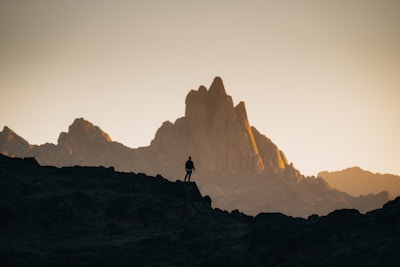
Dimensions specified: 2500x1667
Option 2: Automatic Image Size Detection:
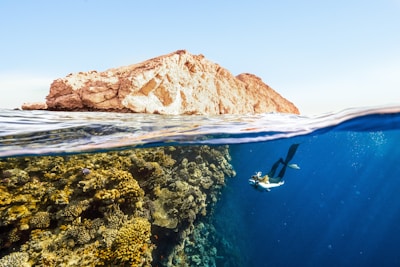
Dimensions auto-detected on click
Option 3: Customized UI Elements (No download button or zoom percentage indicator):
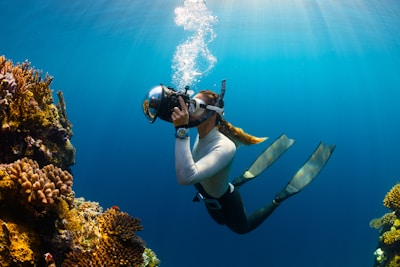
Download button and zoom indicator disabled
<div class="space-y-8">
  <!-- Approach 1: Manual dimensions (Best Performance) -->
  <div>
    <h4 class="text-sm font-medium mb-3 text-neutral-700 dark:text-neutral-300">Option 1: With Manual Dimensions:</h4>
    <div class="flex justify-center">
      <a href="https://images.unsplash.com/photo-1682687220742-aba13b6e50ba"
         data-controller="lightbox"
         data-lightbox-target="trigger"
         data-pswp-src="https://images.unsplash.com/photo-1682687220742-aba13b6e50ba"
         data-pswp-width="2500"
         data-pswp-height="1667"
         data-pswp-caption="Mountain view with a man looking into the distance"
         class="inline-block">
        <img src="https://images.unsplash.com/photo-1682687220742-aba13b6e50ba?w=400"
             alt="Mountain view with a man looking into the distance"
             class="rounded-lg shadow-lg hover:opacity-90 transition-opacity cursor-pointer outline -outline-offset-1 outline-black/10 dark:outline-white/10">
      </a>
    </div>
    <p class="text-xs text-center mt-2 text-neutral-500">Dimensions specified: 2500x1667</p>
  </div>

  <!-- Approach 2: Auto-detection (Easiest) -->
  <div>
    <h4 class="text-sm font-medium mb-3 text-neutral-700 dark:text-neutral-300">Option 2: Automatic Image Size Detection:</h4>
    <div class="flex justify-center">
      <a href="https://images.unsplash.com/photo-1682695797221-8164ff1fafc9"
         data-controller="lightbox"
         data-lightbox-target="trigger"
         data-pswp-src="https://images.unsplash.com/photo-1682695797221-8164ff1fafc9"
         data-pswp-caption="Coral reef with a diver"
         class="inline-block">
        <img src="https://images.unsplash.com/photo-1682695797221-8164ff1fafc9?w=400"
             alt="Coral reef with a diver"
             class="rounded-lg shadow-lg hover:opacity-90 transition-opacity cursor-pointer outline -outline-offset-1 outline-black/10 dark:outline-white/10">
      </a>
    </div>
    <p class="text-xs text-center mt-2 text-neutral-500">Dimensions auto-detected on click</p>
  </div>

  <!-- Customized UI Elements -->
  <div>
    <h4 class="text-sm font-medium mb-3 text-neutral-700 dark:text-neutral-300">Option 3: Customized UI Elements (No download button or zoom percentage indicator):</h4>
    <div class="flex justify-center">
      <a href="https://images.unsplash.com/photo-1682687982502-1529b3b33f85"
         data-controller="lightbox"
         data-lightbox-target="trigger"
         data-lightbox-show-download-button-value="false"
         data-lightbox-show-zoom-indicator-value="false"
         data-pswp-src="https://images.unsplash.com/photo-1682687982502-1529b3b33f85"
         data-pswp-caption="Scuba diver in the ocean, taking pictures of a coral reef"
         class="inline-block">
        <img src="https://images.unsplash.com/photo-1682687982502-1529b3b33f85?w=400"
             alt="Scuba diver in the ocean, taking pictures of a coral reef"
             class="rounded-lg shadow-lg hover:opacity-90 transition-opacity cursor-pointer outline -outline-offset-1 outline-black/10 dark:outline-white/10">
      </a>
    </div>
    <p class="text-xs text-center mt-2 text-neutral-500">Download button and zoom indicator disabled</p>
  </div>
</div>
Gallery of images with thumbnails
A grid of thumbnail images that open in a connected gallery. Users can navigate between images using arrow keys, swipe gestures, or navigation buttons.
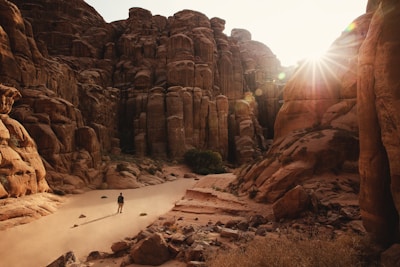
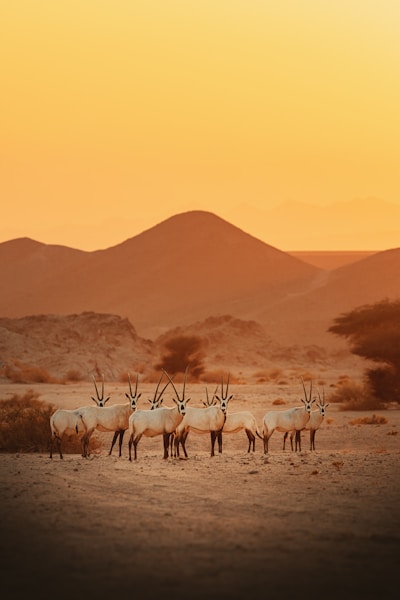

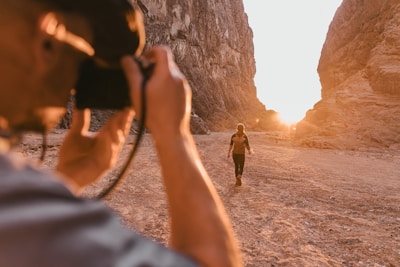
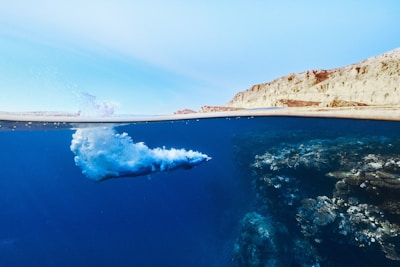
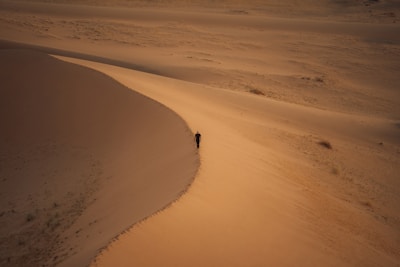
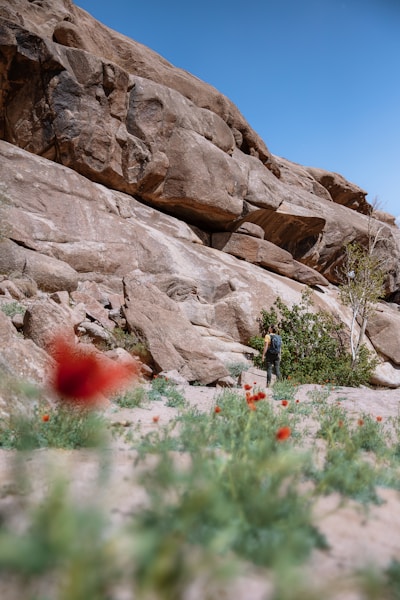
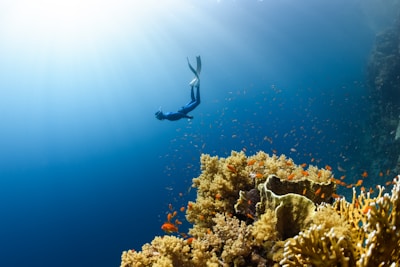
Gallery with Customized UI (No Dots Indicator):

Dots indicator disabled - navigate with arrows or swipe
<div data-controller="lightbox" data-lightbox-target="gallery" class="grid grid-cols-2 md:grid-cols-3 lg:grid-cols-4 gap-4">
  <a href="https://images.unsplash.com/photo-1682695794816-7b9da18ed470"
     data-pswp-src="https://images.unsplash.com/photo-1682695794816-7b9da18ed470"
     data-pswp-caption="Sunset over the ocean"
     class="group relative overflow-hidden rounded-lg outline -outline-offset-1 outline-black/10 dark:outline-white/10">
    <img src="https://images.unsplash.com/photo-1682695794816-7b9da18ed470?w=400"
         alt="Sunset over the ocean"
         class="w-full h-full object-cover transition-transform duration-300 group-hover:scale-110">
    <div class="absolute inset-0 bg-black opacity-0 group-hover:opacity-20 transition-opacity duration-300"></div>
  </a>

  <a href="https://images.unsplash.com/photo-1682687982093-4773cb0dbc2e"
     data-pswp-src="https://images.unsplash.com/photo-1682687982093-4773cb0dbc2e"
     data-pswp-caption="Mountain peaks in fog"
     class="group relative overflow-hidden rounded-lg outline -outline-offset-1 outline-black/10 dark:outline-white/10">
    <img src="https://images.unsplash.com/photo-1682687982093-4773cb0dbc2e?w=400"
         alt="Mountain peaks"
         class="w-full h-full object-cover transition-transform duration-300 group-hover:scale-110">
    <div class="absolute inset-0 bg-black opacity-0 group-hover:opacity-20 transition-opacity duration-300"></div>
  </a>

  <a href="https://images.unsplash.com/photo-1682687218608-5e2522b04673"
     data-pswp-src="https://images.unsplash.com/photo-1682687218608-5e2522b04673"
     data-pswp-caption="Forest pathway"
     class="group relative overflow-hidden rounded-lg outline -outline-offset-1 outline-black/10 dark:outline-white/10">
    <img src="https://images.unsplash.com/photo-1682687218608-5e2522b04673?w=400"
         alt="Forest pathway"
         class="w-full h-full object-cover transition-transform duration-300 group-hover:scale-110">
    <div class="absolute inset-0 bg-black opacity-0 group-hover:opacity-20 transition-opacity duration-300"></div>
  </a>

  <a href="https://images.unsplash.com/photo-1682695795798-1b31ea040caf"
     data-pswp-src="https://images.unsplash.com/photo-1682695795798-1b31ea040caf"
     data-pswp-caption="Desert dunes at sunrise"
     class="group relative overflow-hidden rounded-lg outline -outline-offset-1 outline-black/10 dark:outline-white/10">
    <img src="https://images.unsplash.com/photo-1682695795798-1b31ea040caf?w=400"
         alt="Desert dunes"
         class="w-full h-full object-cover transition-transform duration-300 group-hover:scale-110">
    <div class="absolute inset-0 bg-black opacity-0 group-hover:opacity-20 transition-opacity duration-300"></div>
  </a>

  <a href="https://images.unsplash.com/photo-1682695796497-31a44224d6d6"
     data-pswp-src="https://images.unsplash.com/photo-1682695796497-31a44224d6d6"
     data-pswp-caption="Northern lights display"
     class="group relative overflow-hidden rounded-lg outline -outline-offset-1 outline-black/10 dark:outline-white/10">
    <img src="https://images.unsplash.com/photo-1682695796497-31a44224d6d6?w=400"
         alt="Northern lights"
         class="w-full h-full object-cover transition-transform duration-300 group-hover:scale-110">
    <div class="absolute inset-0 bg-black opacity-0 group-hover:opacity-20 transition-opacity duration-300"></div>
  </a>

  <a href="https://images.unsplash.com/photo-1682687220989-cbbd30be37e9"
     data-pswp-src="https://images.unsplash.com/photo-1682687220989-cbbd30be37e9"
     data-pswp-caption="Waterfall in tropical forest"
     class="group relative overflow-hidden rounded-lg outline -outline-offset-1 outline-black/10 dark:outline-white/10">
    <img src="https://images.unsplash.com/photo-1682687220989-cbbd30be37e9?w=400"
         alt="Waterfall"
         class="w-full h-full object-cover transition-transform duration-300 group-hover:scale-110">
    <div class="absolute inset-0 bg-black opacity-0 group-hover:opacity-20 transition-opacity duration-300"></div>
  </a>

  <a href="https://images.unsplash.com/photo-1682687221038-404cb8830901"
     data-pswp-src="https://images.unsplash.com/photo-1682687221038-404cb8830901"
     data-pswp-caption="City skyline at night"
     class="group relative overflow-hidden rounded-lg outline -outline-offset-1 outline-black/10 dark:outline-white/10">
    <img src="https://images.unsplash.com/photo-1682687221038-404cb8830901?w=400"
         alt="City skyline"
         class="w-full h-full object-cover transition-transform duration-300 group-hover:scale-110">
    <div class="absolute inset-0 bg-black opacity-0 group-hover:opacity-20 transition-opacity duration-300"></div>
  </a>

  <a href="https://images.unsplash.com/photo-1682687982298-c7514a167088"
     data-pswp-src="https://images.unsplash.com/photo-1682687982298-c7514a167088"
     data-pswp-caption="Coastal cliffs and waves"
     class="group relative overflow-hidden rounded-lg outline -outline-offset-1 outline-black/10 dark:outline-white/10">
    <img src="https://images.unsplash.com/photo-1682687982298-c7514a167088?w=400"
         alt="Coastal cliffs"
         class="w-full h-full object-cover transition-transform duration-300 group-hover:scale-110">
    <div class="absolute inset-0 bg-black opacity-0 group-hover:opacity-20 transition-opacity duration-300"></div>
  </a>
</div>

<!-- Example: Gallery without dots indicator -->
<div class="mt-12">
  <h4 class="text-sm font-medium mb-3 text-neutral-700 dark:text-neutral-300">Gallery with Customized UI (No Dots Indicator):</h4>
  <div data-controller="lightbox"
       data-lightbox-target="gallery"
       data-lightbox-show-dots-indicator-value="false"
       class="grid grid-cols-3 gap-4 max-w-md mx-auto">
    <a href="https://images.unsplash.com/photo-1682695794816-7b9da18ed470"
       data-pswp-src="https://images.unsplash.com/photo-1682695794816-7b9da18ed470"
       data-pswp-caption="Example without dots"
       class="group relative overflow-hidden rounded-lg outline -outline-offset-1 outline-black/10 dark:outline-white/10">
      <img src="https://images.unsplash.com/photo-1682695794816-7b9da18ed470?w=200"
           alt="Example image 1"
           class="w-full h-full object-cover transition-transform duration-300 group-hover:scale-110">
    </a>
    <a href="https://images.unsplash.com/photo-1682687982093-4773cb0dbc2e"
       data-pswp-src="https://images.unsplash.com/photo-1682687982093-4773cb0dbc2e"
       data-pswp-caption="Navigate with arrows or swipe"
       class="group relative overflow-hidden rounded-lg outline -outline-offset-1 outline-black/10 dark:outline-white/10">
      <img src="https://images.unsplash.com/photo-1682687982093-4773cb0dbc2e?w=200"
           alt="Example image 2"
           class="w-full h-full object-cover transition-transform duration-300 group-hover:scale-110">
    </a>
    <a href="https://images.unsplash.com/photo-1682687218608-5e2522b04673"
       data-pswp-src="https://images.unsplash.com/photo-1682687218608-5e2522b04673"
       data-pswp-caption="No dots at the bottom"
       class="group relative overflow-hidden rounded-lg outline -outline-offset-1 outline-black/10 dark:outline-white/10">
      <img src="https://images.unsplash.com/photo-1682687218608-5e2522b04673?w=200"
           alt="Example image 3"
           class="w-full h-full object-cover transition-transform duration-300 group-hover:scale-110">
    </a>
  </div>
  <p class="text-xs text-center mt-2 text-neutral-500">Dots indicator disabled - navigate with arrows or swipe</p>
</div>
Slack-Style Attachments
A messaging app-style attachment gallery with file metadata, compact thumbnails, and a file list view. Perfect for chat applications or file sharing interfaces.

Here are the latest design mockups for the landing page. Let me know what you think!



5 files attached • 6.71 MB total
<!-- Slack-Style Attachment Gallery -->
<div class="max-w-2xl mx-auto bg-white dark:bg-neutral-900 rounded-lg shadow-sm border border-neutral-200 dark:border-neutral-700 p-4">
  <!-- Message Header -->
  <div class="flex items-start gap-3">
    <img src="https://images.unsplash.com/photo-1570295999919-56ceb5ecca61?w=100&h=100&fit=crop"
         alt="User avatar"
         class="w-10 h-10 rounded-md">
    <div>
      <div class="flex items-baseline gap-2">
        <span class="font-semibold text-neutral-900 dark:text-white">Alex Johnson</span>
        <span class="text-xs text-neutral-500 dark:text-neutral-400">11:42 AM</span>
      </div>
      <p class="text-sm text-neutral-700 dark:text-neutral-300 mt-0.5">
        Here are the latest design mockups for the landing page. Let me know what you think!
      </p>

      <!-- Compact Alternative -->
      <div class="pt-4">

        <div data-controller="lightbox" data-lightbox-target="gallery" class="flex gap-2 flex-wrap">
          <!-- First 3 visible thumbnails -->
          <a href="https://images.unsplash.com/photo-1618005182384-a83a8bd57fbe"
            data-pswp-src="https://images.unsplash.com/photo-1618005182384-a83a8bd57fbe"
            data-pswp-caption="new-background-v2.png"
            class="group relative">
            <img src="https://images.unsplash.com/photo-1618005182384-a83a8bd57fbe?w=400&h=400"
                alt="Thumbnail 1"
                class="size-16 sm:size-24 rounded object-cover ring-1 ring-neutral-200 dark:ring-neutral-700 group-hover:ring-2 group-hover:ring-neutral-800 dark:hover:ring-neutral-200 transition-all">
          </a>

          <a href="https://images.unsplash.com/photo-1611162617474-5b21e879e113"
            data-pswp-src="https://images.unsplash.com/photo-1611162617474-5b21e879e113"
            data-pswp-caption="netflix-logo.png"
            class="group relative">
            <img src="https://images.unsplash.com/photo-1611162617474-5b21e879e113?w=400&h=400"
                alt="Thumbnail 2"
                class="size-16 sm:size-24 rounded object-cover ring-1 ring-neutral-200 dark:ring-neutral-700 group-hover:ring-2 group-hover:ring-neutral-800 dark:hover:ring-neutral-200 transition-all">
          </a>

          <a href="https://images.unsplash.com/photo-1551650975-87deedd944c3"
            data-pswp-src="https://images.unsplash.com/photo-1551650975-87deedd944c3"
            data-pswp-caption="mobile-responsive.png"
            class="group relative">
            <img src="https://images.unsplash.com/photo-1551650975-87deedd944c3?w=400&h=400"
                alt="Thumbnail 3"
                class="size-16 sm:size-24 rounded object-cover ring-1 ring-neutral-200 dark:ring-neutral-700 group-hover:ring-2 group-hover:ring-neutral-800 dark:hover:ring-neutral-200 transition-all">
          </a>

          <!-- +2 more indicator -->
          <a href="https://images.unsplash.com/photo-1600132806370-bf17e65e942f?w=1600&h=900"
            data-pswp-src="https://images.unsplash.com/photo-1600132806370-bf17e65e942f?w=1600&h=900"
            data-pswp-caption="dashboard-analytics.jpg"
            class="group relative cursor-pointer">
            <div class="size-16 sm:size-24 rounded bg-neutral-100 dark:bg-neutral-800 ring-1 ring-neutral-200 dark:ring-neutral-700 group-hover:ring-2 group-hover:ring-neutral-800 dark:hover:ring-neutral-200 transition-all flex items-center justify-center">
              <span class="text-base font-medium text-neutral-600 dark:text-neutral-400 group-hover:text-neutral-900 dark:group-hover:text-white">+2</span>
            </div>
          </a>

          <!-- Hidden last image -->
          <a href="https://images.unsplash.com/photo-1555421689-491a97ff2040?w=1600&h=900"
            data-pswp-src="https://images.unsplash.com/photo-1555421689-491a97ff2040?w=1600&h=900"
            data-pswp-caption="person-typing.png"
            class="hidden">
          </a>
        </div>

        <p class="text-xs text-neutral-500 dark:text-neutral-400 mt-2">5 files attached • 6.71 MB total</p>
      </div>

      <div class="mt-4 flex items-center gap-4 text-xs text-neutral-500 dark:text-neutral-400">
        <button type="button" class="hover:text-neutral-700 dark:hover:text-neutral-300 transition-colors rounded-full px-2 py-1 bg-neutral-100 dark:bg-neutral-800 border border-neutral-200 dark:border-neutral-700">
          👍 2
        </button>
      </div>
    </div>
  </div>
</div>
Configuration Options
You can customize the PhotoSwipe behavior by passing options through data attributes:
<div data-controller="lightbox"
     data-lightbox-options-value='{"showHideAnimationType": "fade", "wheelToZoom": false}'>
  <!-- Your gallery content -->
</div>
Available Options
| Option | Type | Default | Description |
|---|---|---|---|
| showHideAnimationType | string | 'zoom' | Animation type: 'zoom', 'fade', or 'none' |
| wheelToZoom | boolean | true | Enable zooming with mouse wheel |
| preload | array | [1, 2] | Number of images to preload before and after current |
| padding | object | {top: 20, bottom: 40, left: 20, right: 20} | Padding around images |
| showDownloadButton | boolean | true | Show/hide the download button in the toolbar |
| showZoomIndicator | boolean | true | Show/hide the zoom percentage indicator |
| showDotsIndicator | boolean | true | Show/hide the dots navigation indicator (always hidden for single images) |
Customizing UI Elements
You can control which UI elements are displayed in the lightbox:
<!-- Hide download button and zoom indicator -->
<a href="image.jpg"
   data-controller="lightbox"
   data-lightbox-target="trigger"
   data-lightbox-show-download-button-value="false"
   data-lightbox-show-zoom-indicator-value="false"
   data-pswp-src="image.jpg">
  <img src="thumbnail.jpg" alt="Photo">
</a>

<!-- Gallery without dots navigation -->
<div data-controller="lightbox"
     data-lightbox-target="gallery"
     data-lightbox-show-dots-indicator-value="false">
  <!-- Gallery images -->
</div>
Note: The dots indicator is automatically hidden when there's only one image in the lightbox.
Handling Image Dimensions
PhotoSwipe performs best when image dimensions are known beforehand. Here are two approaches:
Option 1: Manual Dimensions (Best Performance)
For best performance, specify dimensions manually. This prevents any layout shifts and provides instant opening:
<a href="image.jpg"
   data-controller="lightbox"
   data-lightbox-target="trigger"
   data-pswp-src="image.jpg"
   data-pswp-width="2500"
   data-pswp-height="1667">
  <img src="thumbnail.jpg" alt="Photo">
</a>
Option 2: Automatic Detection (Easiest)
The controller automatically detects dimensions when the lightbox opens. Just omit the dimension attributes:
<!-- Dimensions detected when clicked -->
<a href="image.jpg"
   data-controller="lightbox"
   data-lightbox-target="trigger"
   data-pswp-src="image.jpg">
  <img src="thumbnail.jpg" alt="Photo">
</a>
How the Controller Handles Missing Dimensions
When dimensions aren't provided, the controller intelligently handles different image types:
- First tries to detect the aspect ratio from the thumbnail (if loaded)
- Applies appropriate dimensions based on image orientation:
- Landscape images (aspect ratio > 1.2): 2400px wide
- Portrait images (aspect ratio < 0.8): 2400px tall
- Square images (aspect ratio 0.8-1.2): 2000×2000px
- Falls back to conservative 1920×1080 (16:9) if no thumbnail is available
- Updates with actual dimensions once the full image loads
Common Image Dimensions Reference
Here are common dimensions for popular image sources:
| Source | Common Dimensions | Aspect Ratio |
|---|---|---|
| Unsplash (landscape) | 2500×1667 | 3:2 |
| Unsplash (portrait) | 1667×2500 | 2:3 |
| Full HD | 1920×1080 | 16:9 |
| 4K | 3840×2160 | 16:9 |
| Square | 2000×2000 | 1:1 |
Best Practices
- For production sites: Use manual dimensions for hero images and galleries when you know them
- For user-uploaded content: Auto-detection works well when thumbnails maintain aspect ratio
- For mixed content: The controller now handles portrait, landscape, and square images appropriately
- Performance tip: Providing dimensions upfront eliminates the brief layout adjustment when the lightbox opens
- Flexibility: The auto-detection now works reliably for most common image types and orientations
Data Attributes
Each image link supports the following data attributes:
| Attribute | Required | Description |
|---|---|---|
| data-pswp-src | Yes | Full-size image URL |
| data-pswp-width | Recommended | Image width in pixels |
| data-pswp-height | Recommended | Image height in pixels |
| data-pswp-caption | Optional | Caption text for the image |
| data-pswp-alt | Optional | Alt text for accessibility |
Keyboard Shortcuts
PhotoSwipe supports the following keyboard shortcuts when the lightbox is open:
- ← / → - Navigate between images
- Esc - Close the lightbox
- Z - Zoom in/out
- F - Toggle fullscreen
- Space - Pan the zoomed image